How to turn listing photos into a real estate Reel (no videographer needed)
You have a new listing, a folder of good photos and a seller who wants to see it promoted. Instagram Reels is where buyers are scrolling, but a photo carousel tends to get swiped past, and booking a videographer for every listing isn't realistic. The good news: the photos you already have are enough for a short vertical Reel.
This post walks through a simple plan for one 8–12 second listing Reel: which photos to pick, what to put on screen, and where things go in the frame. It works for a single-family home, a condo, a rental or a small inn.
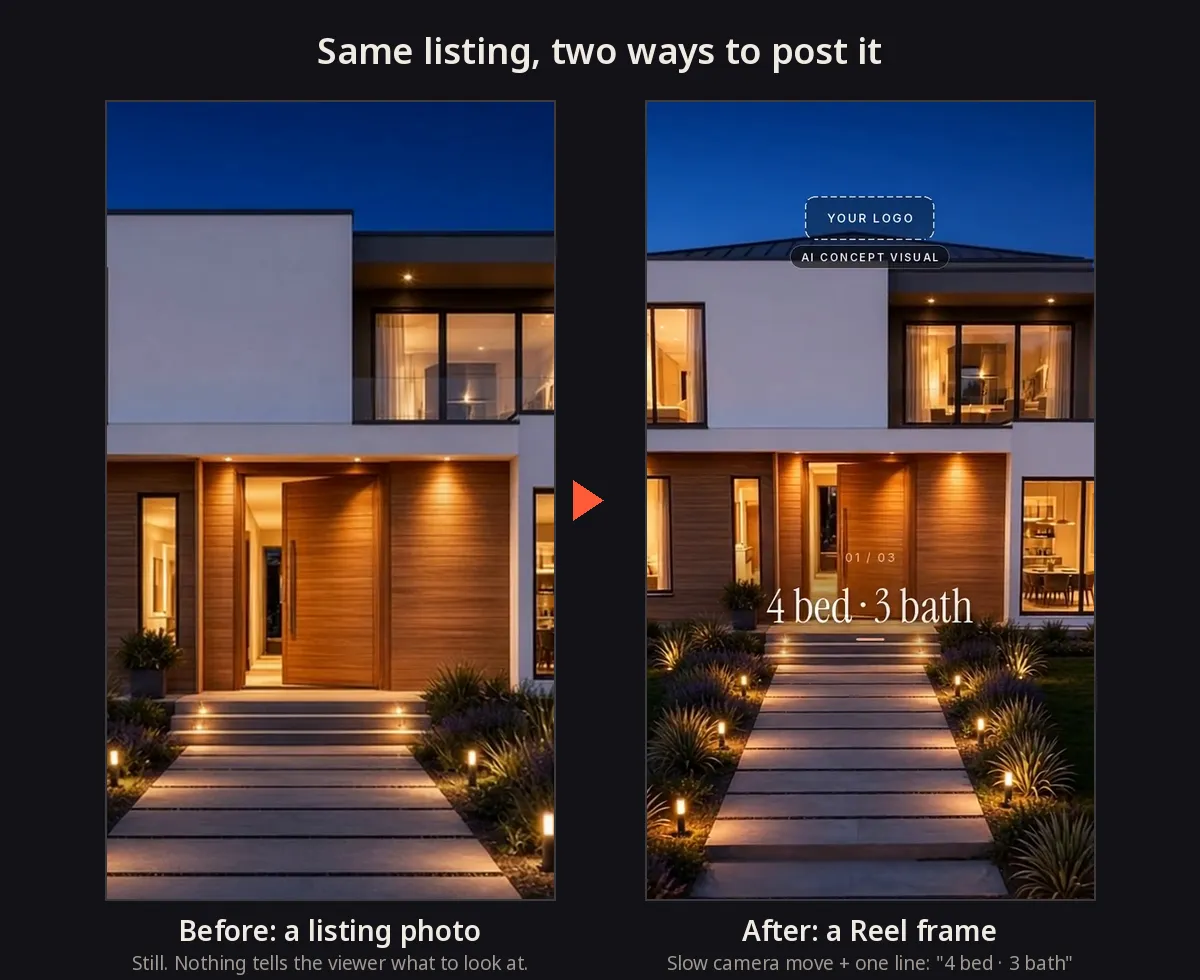
Why listing photos get scrolled past
A buyer scrolling Reels gives each post about a second. A still photo, even a beautiful one, doesn't tell them where to look or why to stop. A short video does three things a photo can't: it moves, it shows one fact at a time, and it ends with a clear next step. That's all a listing Reel needs to do. It isn't a full virtual tour; it's the trailer that gets someone to ask for one.
Step 1: Pick 3–5 photos, not 25
Your MLS gallery might have 25 images. For a Reel, choose the few that make someone want to see more:
- The hero exterior. Dusk or golden-hour shots work best, because lit windows give motion something to play with.
- The best room. Usually the kitchen or the main living space, shot wide.
- One feature buyers in this area care about. A backyard, a view, a fireplace, a home office.
- Optional: one neighbourhood or lifestyle shot (the street, a nearby park), if you have one you're allowed to use.
Use the vertical or widest version of each photo you have. A 9:16 Reel crops the sides, so a photo with the subject in the middle works better than one where the best part is at the edge.
Step 2: Give each scene one job
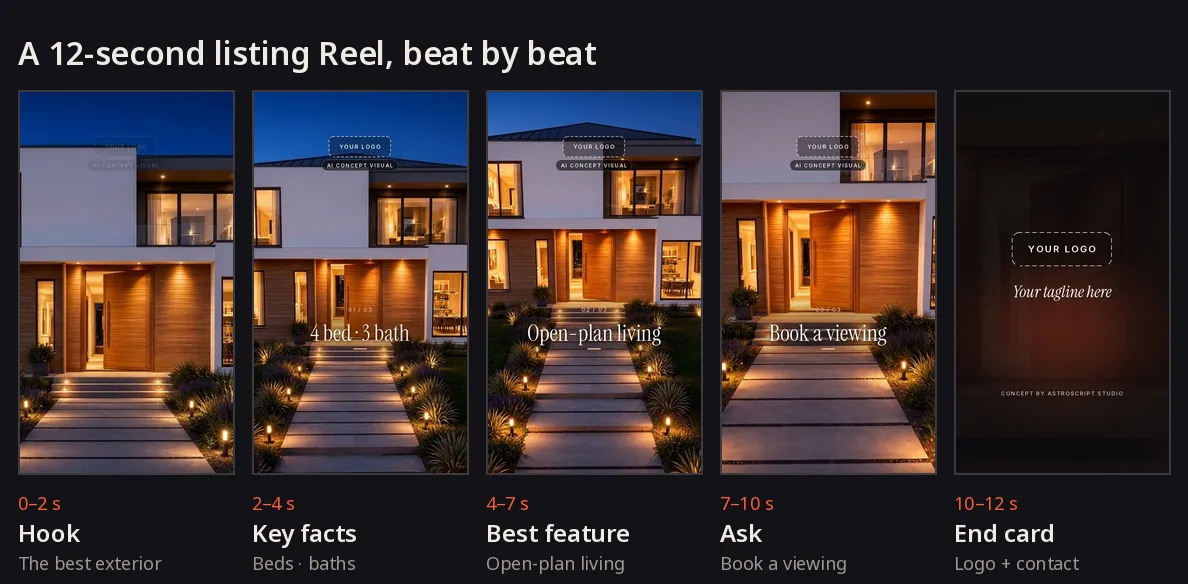
A 12-second Reel has room for about five beats. Here's the order we use for listings:
- Hook (0–2 s): the best exterior, already moving. No text yet, or just the neighbourhood name.
- Key facts (2–4 s): beds and baths, or the price if you're happy to show it.
- Best feature (4–7 s): the one thing that makes this home different, in three or four words.
- The ask (7–10 s): "Book a viewing", "Open house Sat 1–3" or "DM for the full tour".
- End card (10–12 s): your logo and how to reach you.
Step 3: Keep the text short and in the safe area
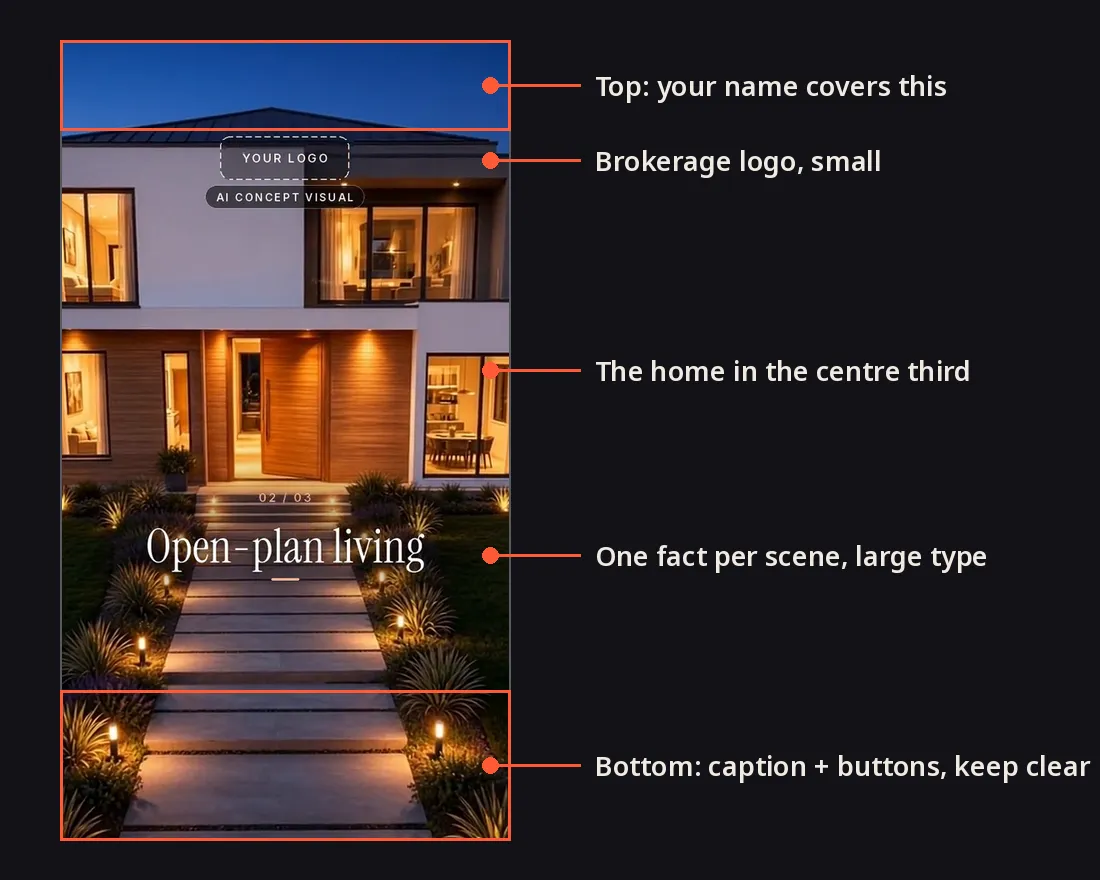
Most people watch Reels with the sound off, so the on-screen text carries the message. Keep it to one short line per scene, in large type. Then make sure the app doesn't cover it:
- Top: your profile name sits here, so keep it clear or use it only for sky.
- Centre third: the home itself, and your one line of text just below it.
- Bottom: the caption, like and share buttons cover roughly the bottom fifth. Never put the price or your phone number there.
- Logo: small, near the top. The home is the star, not the brokerage.
Step 4: Keep it true to the home
A listing video has one rule that a café or bakery Reel doesn't: it has to show the property as it really is. Use motion to bring the photos to life (a slow push towards the front door, light shifting across a room), but don't add rooms, views, furniture or features the home doesn't have. Buyers who book a viewing should walk in and recognise what they saw. Check the finished video against your listing photos before you post it, and follow your brokerage's and MLS's rules on marketing.
Step 5: Post it where buyers will see it
Post the Reel the day the listing goes live, then reuse the same file in your Stories, on Facebook and as a YouTube Short. Write the address area, price and a link to the full listing in the caption, not on the video. If there's an open house, post a second, shorter version with the date the week before.
Would you rather we made it?
If you'd rather spend your time with buyers and sellers than in an editing app, send us 3–10 listing photos, your logo and the key facts. We plan the scenes, generate the motion and edit with music and captions for Reels. You get a first draft within 24 hours, and you only pay once you like it.
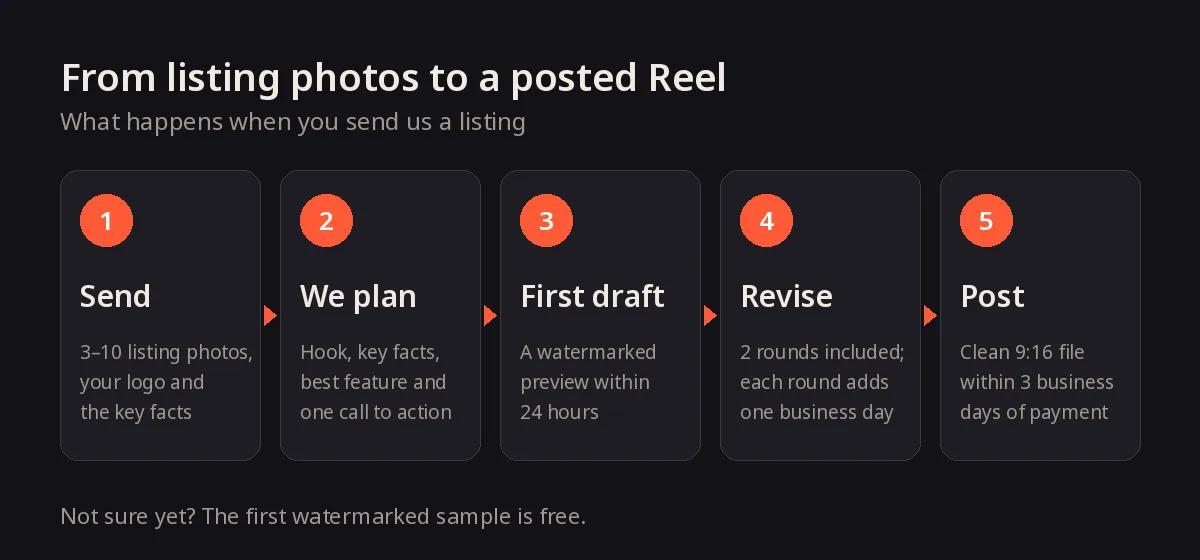
A Single Clip (8–12 seconds, vertical) is $24.99, a Starter Clip Pack of three is $59.99, and the Launch Clip Pack (10 clips plus a hero clip) is $179.99, which covers a season of new listings. For a longer walkthrough with voice-over, a Single Feature (30–40 seconds) is $29.99, with packs of three for $79.99 and five for $119.99. Two revision rounds are included, and each round adds one business day. Final delivery is within 3 business days after payment (the Launch Clip Pack takes 7–10 business days). 40–60 second Reels are priced separately. You can see our sample clips, a featured clip with voice-over, and the full price list.
Next read: 5 holiday Reels ideas for small shops, made from photos you already have
← All posts